How a pocket knife opens affects speed, control, hand position, pocket comfort, and whether the knife works equally well in either hand. But opening terminology is easy to mix up. A thumb stud, flipper, opening hole, or nail nick is the part your finger uses to start the blade. Manual, assisted, and automatic describe what happens inside the knife after that movement begins. The lock is a separate system again.
This guide explains the common pocket knife opening mechanisms, where each one works best, and what to check before choosing your next everyday carry knife. If you want to compare the mechanisms on real knives as you read, browse our pocket knife collection.
Quick Answer: Which Pocket Knife Opening Mechanism Is Best?
There is no universal best opener. For most first-time buyers, a dual thumb stud or a large opening hole gives the easiest combination of control and one-handed access. A rear flipper feels fast and intuitive if you prefer using your index finger. A front flipper offers a cleaner profile but takes more practice. A nail nick is slower and usually two-handed, but it is simple, controlled, and well suited to traditional folders.
| Opening method | Finger used | Main strength | Main tradeoff |
|---|---|---|---|
| Thumb stud | Thumb | Direct, familiar one-handed control | Small studs can be harder to find with gloves |
| Opening hole | Thumb or finger | Large target with no added hardware | Usually requires a wider blade profile |
| Rear flipper | Index finger | Fast, intuitive deployment | The tab can protrude when closed |
| Front flipper | Thumb or index finger | Low-profile, streamlined design | Steeper learning curve |
| Nail nick or long pull | Fingernail, usually two hands | Simple, deliberate opening | Slower and less glove-friendly |
| Thumb disk | Thumb | Broad contact surface | Adds hardware above the blade spine |
Opening Method, Opening Action, and Lock Type Are Different
Before comparing specific openers, separate three parts of a folding knife:
| Part of the system | What it controls | Examples |
|---|---|---|
| Opening method | Where your finger contacts the blade | Thumb stud, hole, flipper, nail nick |
| Opening action | How the blade moves through the pivot | Manual, assisted, automatic |
| Lock type | How the blade is held open | Liner lock, lockback, button lock, crossbar lock |
A flipper knife can be manual or assisted. A thumb-stud knife can also be manual or assisted. A button lock is not automatically an automatic knife; on many folders, the button only disengages the lock after the blade has been opened by a stud or flipper. Keeping these systems separate makes product descriptions much easier to understand.
Thumb Studs
A thumb stud is a small post mounted near the pivot of the blade. You place your thumb against the stud and push outward, rotating the blade until it locks open. A single stud favors one side, while dual studs provide access from both sides of the blade.
Why choose a thumb stud?
- Easy to understand: the motion is direct and usually natural for beginners.
- Controlled opening: you can open the blade slowly or with a quicker push.
- Ambidextrous potential: dual studs work from either side when the handle leaves enough clearance.
- Versatility: studs appear on both compact EDC knives and larger work folders.
The main tradeoff is target size. A small, smooth, or tightly recessed stud can be harder to reach with gloves or limited thumb mobility. Handle shape and detent strength matter just as much as the stud itself.
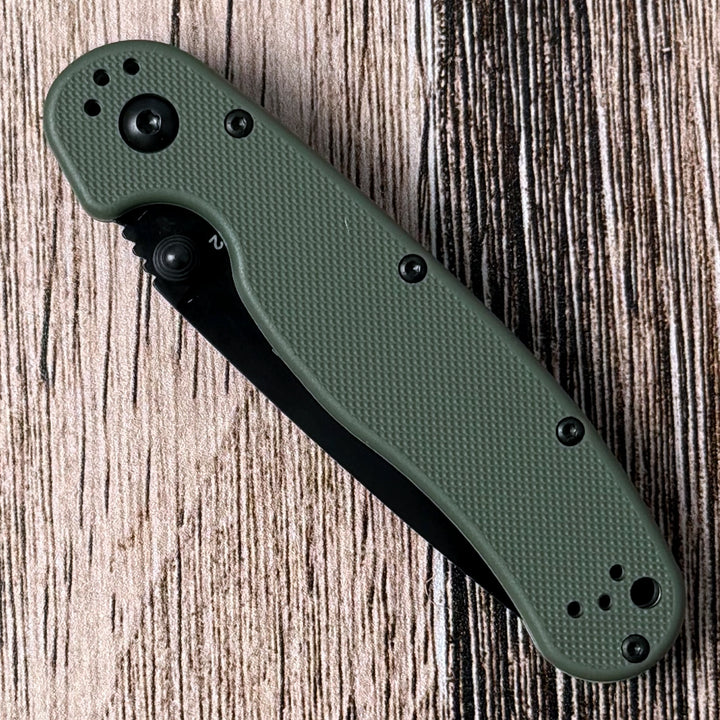
The Ontario RAT II is a straightforward example: its manual action uses dual thumb studs and phosphor-bronze washers for controlled one-handed deployment.
Opening Holes
An opening hole is a cutout in the blade near the pivot. Instead of pushing against a piece of added hardware, your thumb engages the edge of the hole and rotates the blade open. Large holes provide a broad target and do not protrude from the side of the blade.
Why choose an opening hole?
- Large contact area: easier to locate than a small stud, including with many gloves.
- True left- or right-hand access: the same opening surface is available from both sides.
- No separate stud hardware: nothing projects from the blade to loosen or catch.
- Multiple techniques: depending on the design, the blade can be rolled open with the thumb or flicked with a finger.
The tradeoff is geometry. A useful opening hole needs enough blade area around it, so these knives often have a taller profile than slim stud-openers or traditional folders.
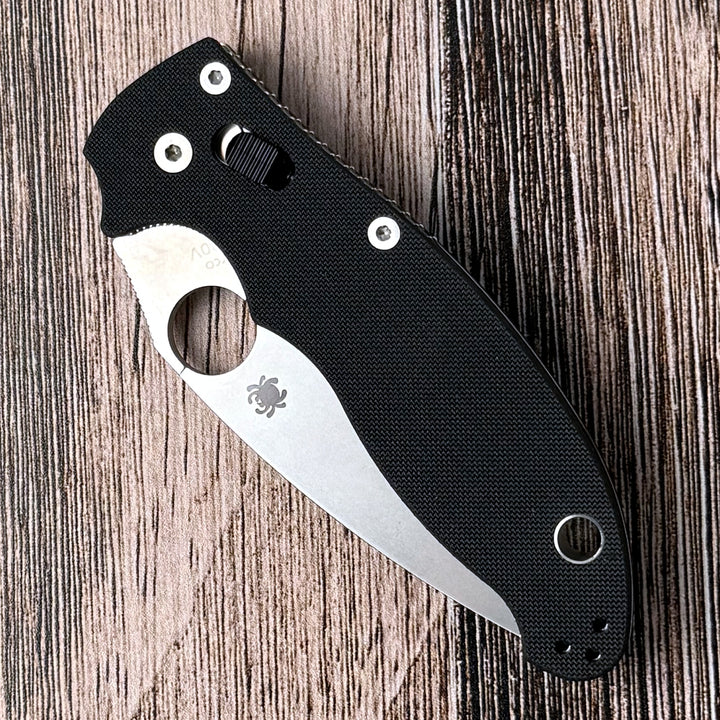
The Spyderco Manix 2 pairs Spyderco's Trademark Round Hole with a fully manual action and an ambidextrous Ball Bearing Lock.
Rear Flippers
A rear flipper is a tab extending from the back of the blade near the pivot when the knife is closed. Pulling down on the tab with your index finger rotates the blade out of the handle. When open, the tab often forms a small finger guard.
A flipper does not automatically mean assisted opening. Manual flippers rely on the user's finger, the blade detent, and the pivot system. Assisted flippers add a spring or torsion bar that takes over after the user starts the blade moving.
Why choose a rear flipper?
- Natural index-finger motion: many users find it easier than repositioning the thumb.
- Quick deployment: a well-tuned detent and pivot produce a crisp, consistent opening action.
- Useful guard: the open flipper tab can help keep the hand behind the cutting edge.
The tradeoff is the protruding tab. It can take up pocket space or create a pressure point, and manual flippers with weak detents may fail to open fully if the motion is hesitant.
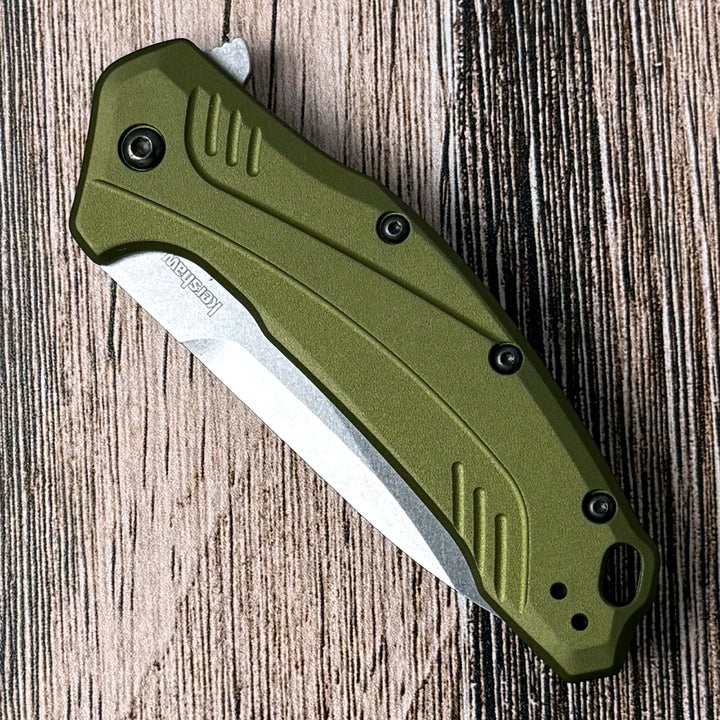
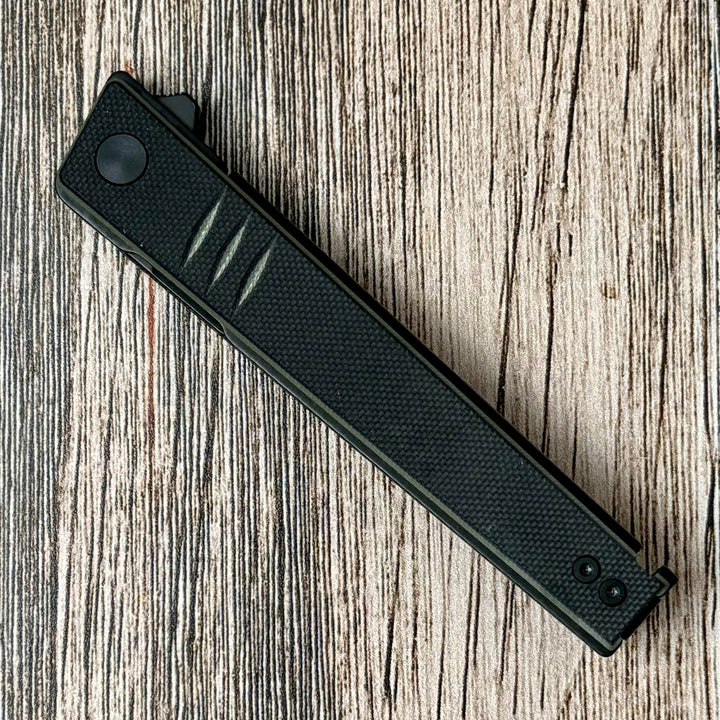
For assisted action, the Kershaw Link uses a rear flipper to start its SpeedSafe system. For a slimmer flipper profile, the Real Steel Kikashi uses an extended blade tang for deployment.
Front Flippers
A front flipper places the opening tab along the top-front area of the blade near the pivot. The user rolls or snaps the tab with the thumb or index finger. Because the tab follows the spine rather than hanging below the pivot, a front flipper can preserve a smooth, low-profile handle shape.
That cleaner profile comes with a learning curve. Front-flipper performance is sensitive to hand size, grip angle, detent strength, and jimping. It can also be less forgiving with wet hands or bulky gloves. A front flipper is worth trying in person if possible; good ergonomics for one user can feel awkward to another.
Nail Nicks and Long Pulls
A nail nick is a small crescent-shaped groove cut into the blade. A long pull is an extended groove serving the same purpose. The user catches the groove with a fingernail and opens the blade, usually with the other hand holding the knife.
Why choose a nail nick?
- Simple construction: there is no added stud or projecting tab.
- Deliberate operation: the two-handed motion encourages a controlled opening.
- Traditional appearance: nail nicks fit classic hunting and slipjoint designs.
- Clean pocket profile: the opener stays within the blade's outline.
Nail nicks are not ideal when fast one-handed access, gloves, or limited fingernail strength are important. They are best for users who value simplicity and a traditional opening experience over speed. The Buck 110 Hunter is a classic example of a deliberate manual folder built around that traditional experience.
Thumb Disks and Other Less-Common Openers
A thumb disk sits across the spine of the blade and works much like a wide thumb stud. It offers a broad contact surface, but it also adds hardware above the spine. Some knives use elongated slots, oval holes, or combinations such as a flipper plus thumb studs. Multiple openers can give the user a choice of grip and deployment method, though every added feature occupies space and affects the knife's profile.
Wave-style openers are designed to catch the edge of a pocket as the knife is drawn, opening the blade during the draw. They require deliberate training and careful pocket placement. Local rules can also treat rapid-opening designs differently, so confirm the law where you live and travel before carrying any knife.
Manual vs. Assisted vs. Automatic Opening
Manual action
On a manual folder, the user supplies the force that moves the blade from closed to open. Washers or ball bearings can make the pivot extremely smooth, but they do not power the blade. Manual knives can use thumb studs, holes, rear flippers, front flippers, disks, or nail nicks.
Assisted action
On an assisted-opening knife, the user first moves the blade by hand—usually with a stud or flipper—and overcomes its bias toward the closed position. A spring or torsion bar then helps complete the opening. Assisted action can feel fast and consistent, but it adds internal parts and may face different carry restrictions in some jurisdictions.
Automatic action
An automatic knife uses a button, switch, or similar device in the handle to release a powered blade. That is different from pressing directly on a thumb stud or flipper attached to the blade. Automatic-knife laws vary sharply by location. Check current state and local rules rather than assuming that a knife legal to buy is legal to carry.
For a deeper comparison of the first two systems, read our guide to assisted-opening vs. manual knives.
How to Choose the Right Opening Mechanism
| Your priority | Start with | Why |
|---|---|---|
| Simple first EDC knife | Dual thumb stud | Familiar motion and controlled one-handed access |
| Left- or right-hand flexibility | Opening hole or dual studs | Accessible from both sides when the lock and clip also cooperate |
| Use with work gloves | Large opening hole or textured oversized stud | Larger contact area is easier to locate |
| Fast index-finger deployment | Rear flipper | Direct pull with minimal grip change |
| Low-profile modern carry | Front flipper | Opening tab stays close to the knife's spine |
| Traditional, deliberate use | Nail nick or long pull | Simple hardware and controlled two-hand opening |
What to Check Before You Buy
- Reach: Can your thumb or index finger contact the opener without an awkward grip change?
- Left-hand access: Dual studs or a hole help, but also check the lock and pocket-clip position.
- Detent: The closed-blade retention should feel secure without making deployment unreasonably difficult.
- Glove clearance: Test the actual gloves you use. Marketing labels do not substitute for hand fit.
- Pocket comfort: Notice whether a flipper tab, stud, or disk creates a hotspot or catches other items.
- Maintenance: Smooth action still depends on a clean pivot, proper lubrication, and correctly adjusted hardware.
- Local law: Verify current rules for possession and carry, especially for assisted, automatic, and wave-opening knives.
Frequently Asked Questions
Are all flipper knives assisted?
No. A flipper is the external tab used to start the blade. The knife may be manual, assisted, or—less commonly—part of another powered system. Check the listed opening action, not just the presence of a flipper tab.
Does a button lock make a knife automatic?
No. A button lock often only releases the locking mechanism on a manual folder. An automatic knife uses a button or switch in the handle to release a powered blade. Similar-looking controls can perform different jobs.
Which opener is easiest for beginners?
A well-positioned dual thumb stud is the most familiar starting point for many users. A large opening hole is also easy to locate and works well from either side. The quality of the detent, pivot, handle clearance, and lock matters as much as the opener style.
Which pocket knife opener works best with gloves?
A large opening hole is often the easiest target with gloves, followed by an oversized textured stud or pronounced flipper tab. Actual results depend on glove thickness and hand geometry, so test the combination you plan to use.
Is assisted opening the same as a switchblade?
No. An assisted knife requires the user to start moving the blade itself before the internal mechanism helps complete the opening. An automatic knife releases a powered blade through a button, switch, or similar device in the handle. Carry rules still vary, so verify current local law.
The Bottom Line
Choose the opener that gives you the most controlled, repeatable motion—not the one that looks fastest in a video. Thumb studs and opening holes are dependable all-around choices. Rear flippers provide crisp index-finger deployment. Front flippers reward practice with a clean profile. Nail nicks keep things simple and traditional.
If you are still choosing your first folder, start with our beginner's guide to choosing an EDC knife, then compare the opening systems on our current pocket knives.
Shop the picks
Four in-stock knives from the guide that show different opening approaches.